Pages

Showing posts with label chrome os. Show all posts

Thursday, February 10, 2011

Google Chrome Cr-48 Notebook Piolt Program


I signed up for the Chrome OS Pilot program a couple of months ago and was blessed with receiving a Cr-48 notebook from Google. Google has this idea that computing is moving to the cloud (online hosts) and that most of what typical users do is online anyways. Think about how much you use youtube, facebook, web based email clients, online docs, online file storage, online banking, etc. The benefits are things like always having your data and apps saved online so that each time you log on to any Google Chrome OS machine your experience is exactly the same. Chrome OS is basically a Chrome browser on steroids. If you are familiar with the Chrome browser you would do just find on Chrome OS. You get the same themes, tabbed browsing, and apps from the Google App store. What you will not find on the Cr-48 is a local file browser (or at least one that is more powerful than the downloads menu) any or any local computing like a cache of your Gmail.

Over all I am really pleased with the hard ware. If is finished in a matte black rubberized finish, includes a MAC like touch pad, and a built in webcam. What i find odd is the SD card port that I can not access without using a web based photo app like Picasa web.

The full specs include:

Intel Atom Processor N455 1.66Ghz 512K Cacke
Tripod Motherboard MARIO
Hynix 2GB DDR3 PC3 RAM
ITE IT8500 Flash ROM
SanDisk sdsa4dh-016 16GB SATA SSD
Qualcomm GObi2000 PCI Express Mini Card
AsureWave 802.11 a/b/g/n/ PCI-E Half Mini Card
Atheros AR5BBU12 Bluetooth V 2.1 EDR (it is listed as hardware, but no software support has been found

So far using the notebook as an "always with me browser" has worked fine for what it is for. If users expect to use this for ONLINE ONLY Activities then this may be a success. My worry is that since it is a "laptop" people will expect it to perform like a standard laptop running Windows/OS X/Linux it will fail. Google has put a lot of effort into making this work out like the Google Cloud Print which allows you to print to your network printer from anywhere including the Chrome OS.

I would like to see some type of local dashboard that you log into before starting the Chrome browser which can give you basic local access to files, cached email, and shortcuts to apps (local or online). Also I would expect to see a real file browser, it does not have to be super complicated, just copy, paste, move, etc. would be needed. Configuration is also not something that is easily done...if at all. I do enjoy what they are getting at and I can see the purpose, but I am left feeling trapped inside of my browser, heh I keep trying to minimize it for Pete's sake. I hope that Google uses this Beta program well and makes some of the changes that its users are surely coming up with. I am not against cloud computing, I just do not want to be trapped in it.

BTW: This post was written on the Cr-48.

EDIT: I attempted to watch Netflix videos. Currently Netflix is not supported on Chrome OS however the Netflix website says the following:

Watching instantly on your computer

Dear Chrome Pilot user,

Streaming is not currently supported on your device. We're working with Google to ensure that Chrome Notebook users can instantly watch TV shows and movies from Netflix. More details will be announced in the coming months.

Note that your current Internet browser is fully compatible with adding titles to the Instant Queue for later watching on compatible devices.

Complete System Requirements

To watch instantly, you'll need a computer that meets the following minimum requirements:

  • Windows
    • Windows XP with Service Pack 2, Vista or Windows 7
    • Internet Explorer 6.0 or higher; or Firefox 3 or higher; or Chrome 7 or higher
    • 1.2 GHz processor
    • 512 MB RAM
  • Mac
    • An Intel-based Mac with OS 10.4.11 or later
    • Safari 3 or higher; or Firefox 3 or higher
    • 1 GB RAM

Wednesday, December 15, 2010

The Times Are A Changing


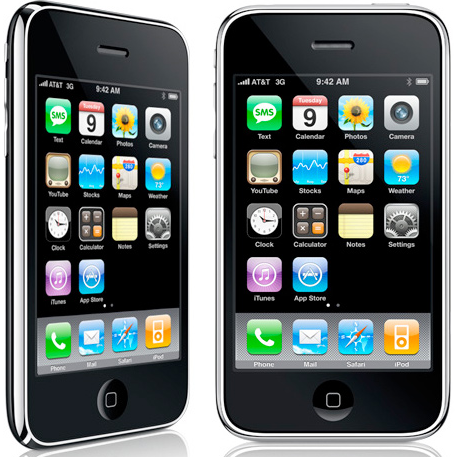
It is no wonder that the world of personal computing is evolving. Today we have smaller and faster processors, large amounts of flash memory, and broadband internet. In the previous computer "generation" we were tethered to a desk to do any activity on our PC or Mac. Laptops then became a norm for business use and as prices dropped, consumer use. Breakthroughs such as the touch screen and user interface of the Apple iPhone have led to the adoption of small powerful computers that fit in the palms of our hands. Go back three years ago and you may have carried a cell phone, mp3 player, digital camera, and perhaps a laptop anywhere you went. Lets face it convergence is a beautiful thing and today all of those devices have become one. Last year the netbook was a big seller though not quite as powerful as a laptop, it got the job done of surfing the web and checking email. Such a young product yet is there a place for it in the market anymore? The answer may be a resounding no.
Along comes the tablet into the space once held by laptops and netbooks. Lighter and full of similar functions, albeit printing is a challenge on the iPad, the tablet has taken the user base by storm. A quote from IT World states "Following the launch of the iPad in April, Apple sold close to 7 million tablets by the end of September." That is a staggering figure when you think about it. Our needs for personal computing have changed with the technology out there. Everyone prefers to be mobile these days take a look at our phone choices. Not only has the hardware evolved, but so has the Operating Systems that run our favored application, iOS, Symbian, and Android. I have read that Android and iOS are the most actively developed platforms in the present time. Again, the market is on the devices we take with us. Another quote from IT World says "In a report published over the weekend, Goldman analyst Bill Shope predicted that as many as a third of the PCs sold during 2011 will actually be tablets. That will bring the growth rate in PC sales from the low teens -- as predicted by IDC and Gartner -- to between 5 percent and 8 percent, the report said." Develpers will follow the user market who in turn favor the hardware platform that allows them to do PC functions on a device that gives them freedom of mobility. Now, add WiFi, 3G, and now 4G networking to the package and there may be no need for a PC agian. Granted there still is a current need for raw processing power such as CAD or Video encoding. As we move to a mobile lifestyle and rely more on the web for our application use such as email, chat, social networking, and document collaboration; is it a surprise that the next step may be cloud computing.
Google seems to think so with their Chrome OS which is similar to their Chrome browser on steroids on top of a Linux kernel. The idea is simple, the day to day PC user typically will use more web applications than local applications installed on the OS of their choice. How often do you boot your machine to then open a browser, do what you have to do, then split? With web based applications such as Dropbox your data is stored securely offsite to be access by you from anywhere. By using the speeds of broadband we can access most of our data from anywhere and synchronize between devices as well. Bookmarks from your browser can now be synced to your phone natively. What else will the Cloud give us, again we look to Google. Recently Google has released a pilot program for their Chrome OS netbooks so they can gather feed back. The website even has a quiz that will show you how much you are actually relying on the Web. In the world of business IT there is a large push by Google and Microsoft (to a lesser extend Amazon) to use cloud technology. Microsoft has their Office 365, Azure, and hosted Exchange while Google has their Apps suite. Products such as Eyeos exist to give people the oppertunity to try web computing as does Lucid Desktop and Glide OS. Each is a full featured web based environment which the user can do most daily computing activities. You can then log in from your tablet or PC from anywhere with web access and get your exact experience, all of your preferences, and data. Google may be on the right track the Cloud may be the next step. I suppose only time will tell.